AI tools are everywhere now. The harder question for most business owners isn’t whether to use AI. It’s which tool to use for what.
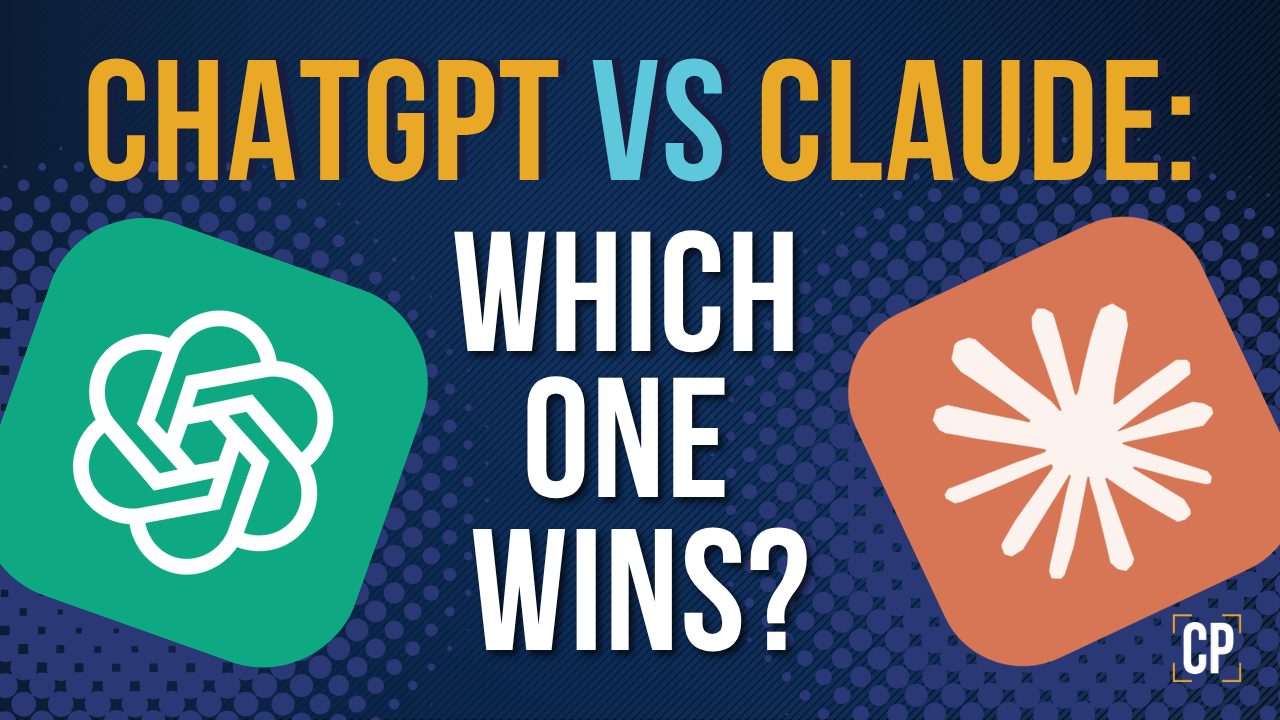
If you’ve spent any time with both ChatGPT and Claude, you’ve probably noticed they feel different. Claude often produces smoother, more natural writing on the first try. ChatGPT tends to be stronger at strategy, structure, research, and execution.
So which one is better?
Honestly, The right question is: what’s the job?
For freelancers, agencies, local service businesses, and small teams, the smart move usually isn’t picking one tool. It’s learning when to use each. This is the workflow I usually use, and the one I recommend to clients trying to make AI useful for their business instead of just noise.
The short answer
- Use ChatGPT for strategy, structure, SEO, research, planning, workflows, and business problem-solving.
- Use Claude for natural-sounding copy, smoother tone, and emotional polish.
For higher-stakes content like sales pages, proposals, and lead magnets, the workflow that consistently produces the best results is:
You → ChatGPT → Claude → ChatGPT → You
- ChatGPT to build the strategy and structure.
- Claude to polish the tone and flow.
- ChatGPT to review the final version for clarity, SEO, and conversion strength.
This isn’t the right workflow for every task. For a quick caption or a short reply email, one tool is fine. But for anything that has to drive revenue, this three-step pass is worth the time.
Start with your own ideas
Before you open ChatGPT or Claude for any business content, do one thing first: write something yourself even if it’s crappy.
It doesn’t have to be polished. A rough draft, bullet points, or even voice notes from your phone are fine. The goal is to get your own perspective down before AI gets involved.
Here’s why this matters.
AI doesn’t create new ideas. It generates a kind of average of everything it’s already seen on the internet. So if you skip your own draft and let AI write something cold, you usually end up with content that sounds like every other blog post on the topic. Generic. Forgettable. Indistinguishable from your competitors.
Your draft is what makes the content yours. Your specific examples. The lesson you learned with that one client. The way you actually explain things to people. The opinion you hold that not everyone agrees with. That’s the part AI can’t make up.
The workflow that actually sounds like you
- Write your draft. Even rough. Even ugly. Get your ideas, examples, and opinions down.
- Build your prompt. Tell the AI what you’re trying to do, who it’s for, and the tone you want.
- Use AI to refine. Structure, polish, tighten, edit.
- Rewrite the AI version. Add your voice back. Cut what feels off. Put the personal details back in where the AI smoothed them out.
That last step is where most people stop too early. The AI version usually feels close enough, but read it back like a stranger’s blog. If it doesn’t sound like you, fix it before it goes live.
This is the difference between using AI as a shortcut and using AI as a real tool. The shortcut path produces volume. The tool path produces work worth reading.
What ChatGPT is good at
ChatGPT is strongest when the task involves logic, structure, and decisions, not just writing. It’s also good to have one ai tool be your core hub of your content so that it is kept up to date and knows all the context for what your doing, your target audience, your writing style, and knows about what you’re trying to accomplish.
It’s a solid fit for:
- Planning a website or landing page
- Building service packages and pricing structures
- Writing proposals and scope documents
- Outlining blog posts with SEO intent
- Building content calendars
- Drafting client emails that need to be clear and direct
- Reviewing your own copy for weak claims, vague language, or missing CTAs
- Turning messy notes into clear next steps
ChatGPT Plus also includes file uploads, web browsing, Advanced Data Analysis, and Custom GPTs, which makes it useful for more than writing. You can drop in a CSV of your sales data, a competitor’s PDF brochure, or a transcript from a client call and ask it to pull out what matters.
Example prompt for ChatGPT
Help me structure a high-converting service page for a local [your service] business. Organize the page around buyer intent, suggest section headings in order, identify any weak claims I’m likely to make, and give me clear CTA recommendations for each section.
That kind of prompt uses ChatGPT for what it does best: thinking through the business problem before writing a single word of copy.
What Claude is good at
Claude is stronger when the goal is making writing feel natural and human.
It’s a strong fit for:
- Smoothing out copy that sounds stiff or robotic
- Refining brand voice
- Long-form writing where flow matters
- Personal stories, founder content, and behind-the-scenes posts
- Softening client-facing language without making it weak
- Big “make this sound better” rewrites
- Generating nicer looking documents
Claude paid plans run on a 200K token context window, which means you can drop in a long brand guide, a full website draft, or an entire client transcript and ask it to keep your voice consistent across the whole thing.
On a side note I find that Claude tends to be a little more proactive overall. It also tends to create nicer looking documents in my opinion with less guidance.
Example prompt for Claude
Rewrite this in a more natural, human, conversational tone. Keep the strategy, meaning, and CTAs intact. Don’t make it fluffy, overly polished, or salesy. Avoid AI-sounding phrases. Read it back like a real business owner would say it out loud.
Claude responds well to clear constraints and tone instructions. The more specific you are about what you don’t want, the better.
A simple way to think about the difference
If it helps to put it in roles:
- ChatGPT is the architect. It plans the structure, makes the decisions, and figures out what the page or email actually needs to do.
- Claude is the copy stylist. It takes the structure and makes the words feel like a real person wrote them.
- ChatGPT is also the editor-in-chief. It does the final pass to catch vague claims, weak CTAs, missing details, and SEO gaps.
Pretty writing isn’t the same as effective writing. Business content has to do a job. That final ChatGPT review is what keeps the polished version from going soft on the message.
Workflows by use case:
Writing a blog post
This is the workflow I use for most blog content, including this one.
Step 1: ChatGPT for the plan
- Topic angle and search intent
- Keyword strategy
- Outline with H2s and H3s
- FAQ ideas
- Internal link opportunities
- CTA strategy
Step 2: Claude for the writing
- Improve the intro
- Smooth out transitions
- Make the tone feel natural
- Tighten the flow
Step 3: ChatGPT for the publishing pass
- SEO title and meta description
- URL slug
- Excerpt
- Social captions
- Final review for clarity, accuracy, and conversion
That third step is where most people skip and end up publishing something that reads well but doesn’t convert. Don’t skip it.
Writing website copy
For website copy, ChatGPT goes first. Always.
A website page isn’t just a piece of writing. It’s a sales tool. It needs:
- Clear positioning
- Strong section hierarchy
- Pain points the customer actually feels
- Trust signals
- CTAs in the right places
- SEO structure
- Objection handling
Claude is great at making the words feel right, but if the page structure is wrong, polished copy won’t save it.
Use ChatGPT to build: page layout, section order, hero message, main CTA, service explanations, FAQ, and form strategy.
Then send specific sections to Claude: hero, about, brand story, and service descriptions.
Then bring it back to ChatGPT for the final review:
Review this website copy for clarity, conversion strength, SEO, and customer trust. Flag anything vague, overhyped, confusing, or weak. Tighten the copy without making it sound robotic.
Writing proposals
For proposals, ChatGPT is the better starting point.
Proposals aren’t really about pretty writing. They’re about protecting the business relationship and avoiding scope confusion later.
ChatGPT is better at making sure you’ve covered:
- What’s included
- What’s not included
- Project phases and timeline
- Client responsibilities
- Payment terms and revision limits
- Optional add-ons
- Next steps
Claude can polish the language at the end if the tone matters, but the priority is clarity, not elegance.
Writing client emails
Default to ChatGPT for most client emails, especially when you need to:
- Explain a project update
- Push back on scope
- Set expectations
- Manage a difficult conversation
- Summarize a call
Switch to Claude when the email needs to feel softer, warmer, or more emotionally careful. Things like checking in on a long-time client, responding to feedback, or following up after something went sideways.
A simple rule: use ChatGPT when the email needs to be clear. Use Claude when it needs to be delicate.
Writing social media content
This depends on the type of post.
Use ChatGPT for educational and how-to posts, service tips, promotional content, carousels with a clear point, repurposing blog content into posts, and content calendars.
Use Claude for personal reflections, founder stories, lessons learned posts, behind-the-scenes content, and more emotional brand storytelling.
ChatGPT is better when the post needs a hook, a point, and a CTA. Claude is better when the post needs to actually feel like you wrote it.
A practical note on usage limits
Both tools have usage limits on paid plans. ChatGPT Plus and Claude Pro both run around $20 per month, and both have caps that reset on a rolling window.
This matters for your workflow. If you run a lot of writing through Claude, you can hit your usage cap faster than expected because long-context conversations consume more capacity. Anthropic’s own usage best practices confirm this: longer conversations and bigger documents eat through your limit faster.
Practical move: don’t burn Claude on small tasks like one-line captions, simple grammar fixes, or quick rewrites. Save Claude for the work where tone and flow actually matter. The final brand voice pass. The long-form blog polish. The website hero rewrite. Use ChatGPT for everything else.
If you’re only paying for one tool right now, ChatGPT Plus is usually the more versatile starting point because of the file uploads, browsing, and data analysis features. Add Claude when copy quality becomes a bottleneck.
A workflow you can actually run
Here’s the simple version, no jargon:
- Write your draft first. Get your ideas, examples, and opinions down.
- Start with ChatGPT. Build the structure, plan the SEO, sharpen the angle.
- Hand off to Claude. Make it sound human, smooth, and natural.
- Bring it back to ChatGPT. Review for clarity, accuracy, and conversion.
- Rewrite one more time in your voice. Add the details only you would write.
That’s it. You don’t need this for every email or caption. You do need it for anything that’s going to drive revenue.
The real takeaway
The goal isn’t just to publish more content faster. It’s to publish better content with a clearer purpose.
ChatGPT is the better tool for strategy, structure, SEO, and decision-making. Claude is the better tool for tone, flow, and natural-sounding writing. Used together, they make a real workflow.
But neither tool replaces the part that actually makes content worth reading: your perspective. Start with your own draft. Use AI to sharpen it. Then put your voice back in before you publish.
Pick the right tool for the job. Treat AI like a system, not a shortcut.
FAQ
Is Claude better than ChatGPT for writing?
Claude often produces more natural, human-sounding writing on the first draft. ChatGPT is better at strategy, structure, and revision. For business content, you usually want both.
Do I need to pay for both?
Not necessarily. If you’re only going to pay for one, start with ChatGPT Plus because it has more built-in tools like file uploads, web browsing, and data analysis. Add Claude when you find yourself rewriting AI-generated copy to sound more human.
Which is better for SEO content?
ChatGPT is generally better for SEO planning, keyword strategy, and structure. Claude is better for making the actual writing feel less mechanical. Use both if you can.
Can I use the free versions for business work?
For light tasks, yes. The free plans have message and context limits that make longer projects harder, so for serious business use, the paid versions are usually worth it.
What about Gemini, Perplexity, or other AI tools?
They each have strengths, but for most small business writing, content, and marketing tasks, ChatGPT and Claude cover the highest-value use cases. Worry about adding more tools after you’ve gotten real results from these two.
Won’t AI make all my content sound the same?
It will if you let it. That’s why the workflow starts with your own draft. AI generates an average of what already exists online. Your draft, your stories, your specific opinions, and your examples are what make the content yours. Skip your draft and you’ll sound like everyone else.
Need help with your business?
At Chris Peter Media, I help local service businesses and small teams build websites, content systems, and lead generation that actually work. If you’ve been using AI to create content but not seeing results, the issue is usually the system, not the tools.
Reach out if you want help building something that pulls its weight.